Do I need to know how to code?+
You can scan your site and review the report without coding. Self-service plans give you a project to download, so you or your developer will need to set up hosting. Admin adds a browser editor for content after setup. If you need help getting online, ask about Assisted Migration.
What is Next.js?+
Next.js is a framework developers use to build websites. WP2Next turns your public WordPress site into a Next.js project you own, with source code you or your developer can change. It does not copy your WordPress admin or automatically recreate every plugin feature.
What is included in the $499 assisted starting price?+
For a suitable site of up to 10 simple pages, the starting price includes Static conversion, review, deployment help and one correction round. We review your free scan and agree the scope before accepting the project. Redesigns, shops, memberships and custom integrations are excluded from this starter scope; larger or more complex work receives a separate quote. Hosting and third-party fees are extra.
Can I try it before paying?+
Yes. The free preview converts your homepage and up to 5 pages and includes a downloadable zip and verification report. You can compare screenshots and review any visual differences before buying. One preview per domain per 30 days; no card needed.
Will my WordPress site be affected?+
No. Scans and conversions are read-only, using ordinary web requests. We don’t log in, install plugins or write to your WordPress site. It stays live until you decide to switch.
Will the new site look the same?+
Static aims to preserve your design at the same URLs. The report checks links, images and SEO, and compares screenshots so you can review the result. Admin converts content into editable blocks, so its layout can differ. Page-builder and complex plugin sites may need Assisted Migration.
What happens to my contact forms?+
A static site does not run the original PHP form backend. Preserved form markup needs a form service or your own endpoint to receive submissions. The download includes guidance, and Assisted Migration can help connect it.
What do I do with the zip?+
It’s a Next.js project with a deploy guide. You can host it on a compatible service or your own Node server. Admin sites need persistent writable storage for their files or SQLite database. Hosting is separate from the conversion price.
How can I edit content afterwards?+
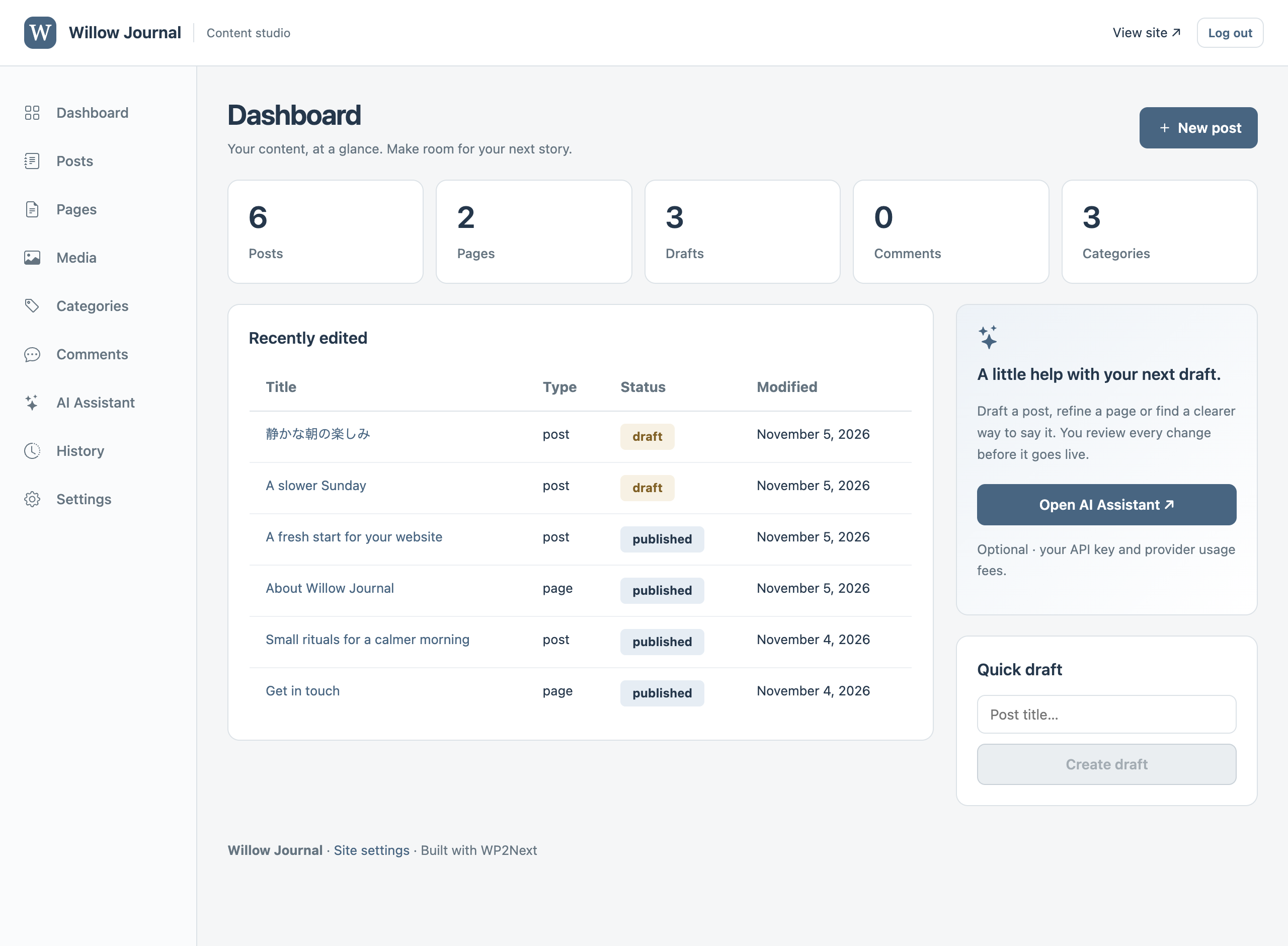
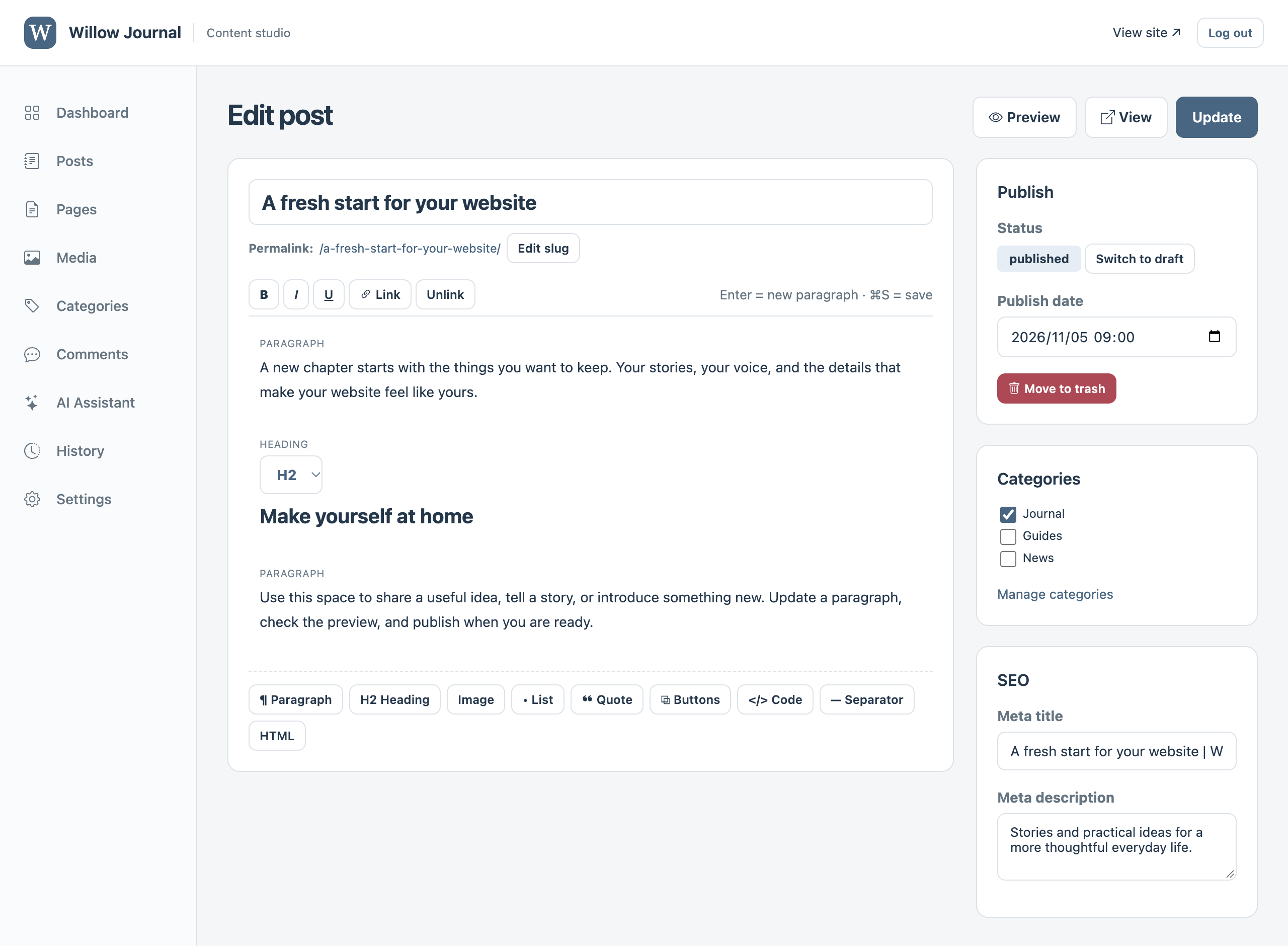
With Static, you or your developer edit the project’s code. Admin includes an editor for posts, pages, menus, media and SEO. Choose files or SQLite before each conversion run. Assisted Migration can help with a custom editing workflow.
Is the Admin editor the same for every site?+
Yes. Admin conversions include the same built-in CMS, populated with your site name and content. Files and SQLite use the same editor. It runs inside your exported Next.js project, with one shared administrator password and no separate CMS subscription. Individual user accounts and two-factor login are not included in this editor. The public-facing website is separate: its layout can differ from your WordPress theme.
What can the AI editor do, and does it cost extra?+
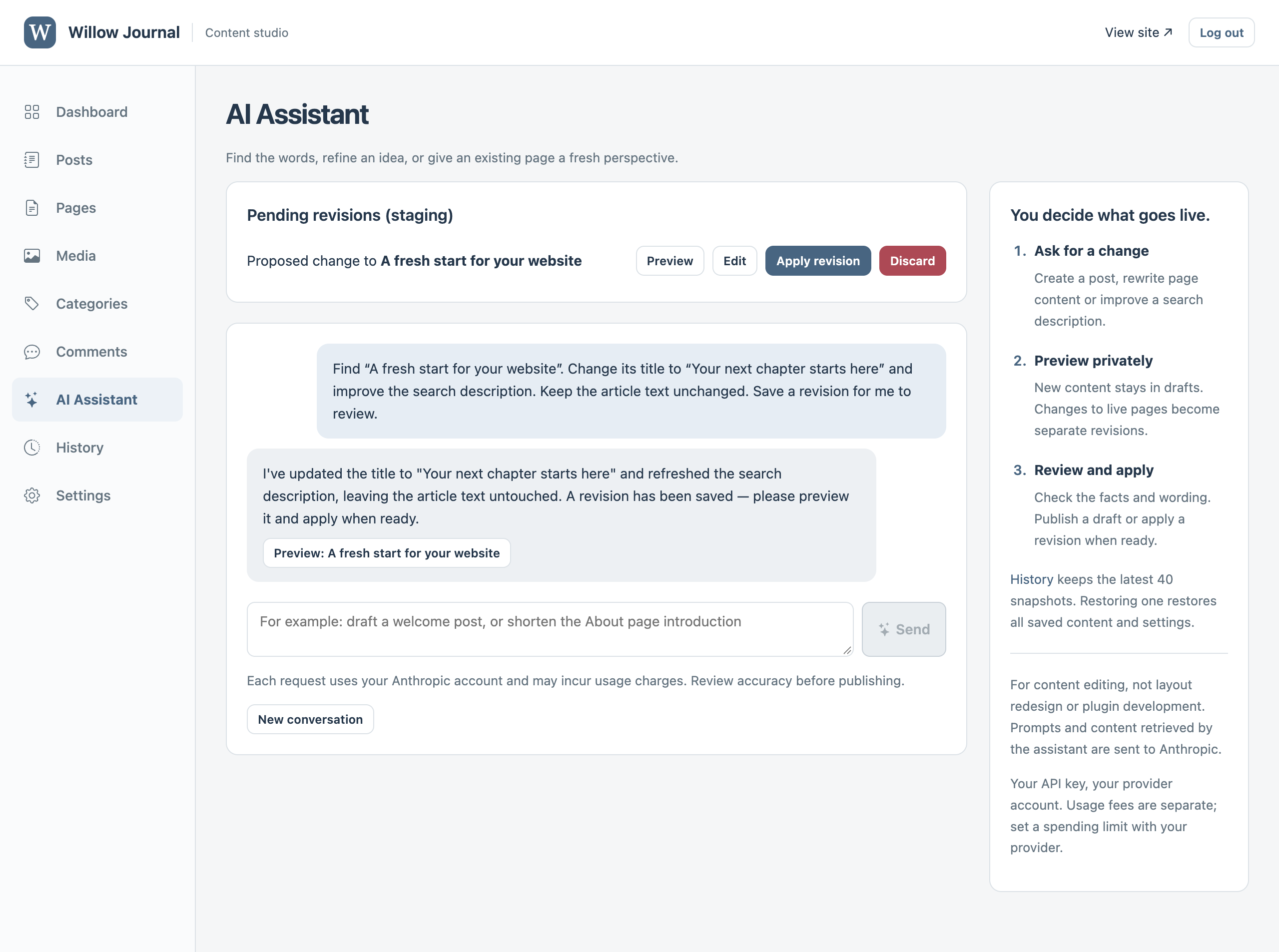
Admin includes an optional AI content assistant for drafting posts, rewriting page content and improving search descriptions. It creates drafts or proposed revisions for you to review; it cannot publish automatically. Your developer connects your own Anthropic API key on the server, and Anthropic charges usage separately. Prompts and content retrieved by the assistant are sent to Anthropic. Layout redesign, code changes and rebuilding plugin features are outside this assistant’s scope.
 WP2Next